My own Obsidian vault, ready for you to start from
Finished work files itself, and AI knows your system.The Obsidian Starter Kit is my own Obsidian vault, packaged so you can start from it. Structure, note types, templates, Bases, plugins, automation rules and an AI assistant system: all configured, all documented. You open it and you start working, instead of spending weeks figuring out folders and plugins first.I've been passionate about knowledge management for more than 20 years, and I run my business from this vault every day. When something proves itself in my daily work, it lands in the next release. That's why the kit keeps getting better: I'm its most demanding user!Important: The Obsidian Starter Kit is an Evergreen project. I improve it regularly, and every update is free for life.
Version 5 is here. Finished work now files itself, the things you do every day are one click away, you can see where your time really goes, and the AI assistant looks up the skill it needs instead of loading all of them before you've typed a word. Already on v4? You upgrade without starting over.
⭐⭐⭐⭐⭐ Rated 4.9/5 by 1,000+ users"Finally clicked how awesome Obsidian is!" — Cal Desmond-Pearson"Game changing for keeping track of all the details" — Dwayne Appleby
🆕 What's new in v5
v5 brings everything that proved itself in my vault since v4 into yours. Here's what changes for you:
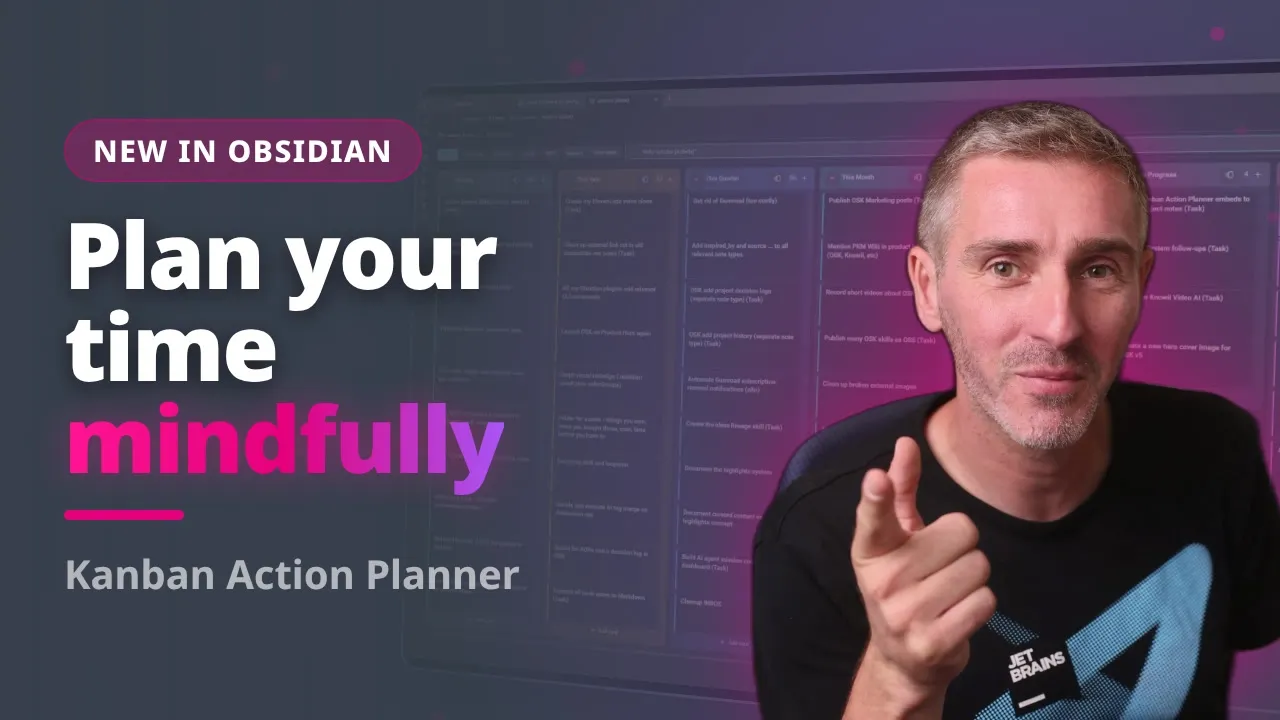
What's New:
Finished work files itself: statuses stamp their dates, and done actions move to the archive seven days later (change the delay or switch it off per note type)
One click for your daily routine: buttons and captures on your daily note, plus a side panel with every button
Every commitment gets a home: Activities for the work that never ends, Ideas for what you haven't committed to yet, and Kanban boards for all of it
Plan the week you want: your ideal week gives every activity its recurring time blocks, right next to its weekly target
See where your time really goes: target, planned and tracked time per activity and project, plus cycle time, lead time and your on-time rate
AI that doesn't eat your context window: Claude Code finds the skill it needs on demand instead of loading all of them up front, and agents remember what they learned
Claude Code and Codex connect on first launch: note types, notes, tasks and skills, already wired
Nine new plugins, including K-Plex, the Kanban Action Planner, AI Editors and the Knowii Community plugin
An upgrade that keeps your setup: a step-by-step migration guide from v4, so you don't start over


And there's a LOT more in the v5.0.0 release notes.
Why start from my vault
❌ Without OSK
Spend weeks figuring out folder structure
Trial-and-error with dozens of plugins
Manually build templates from scratch
Learn PKM methods through scattered articles
Struggle with inconsistent organization
✅ With OSK
The system I use every day, ready when you open it
Carefully curated plugins, pre-configured
40+ templates that file each note where it belongs
Finished work that archives itself
Complete PKM education built in
Scales from 10 notes to 15,000+ (my own vault runs on it)

Who is this for?
👥 Who Is This For?
✅ You're just starting with Obsidian and want a proven system, not trial-and-error
✅ You're overwhelmed by options and need expert guidance on structure and plugins
✅ You want to learn PKM methods (Zettelkasten, PARA, GTD) through hands-on examples
✅ You're migrating from another tool and need a solid foundation to start from
✅ You want AI to work with your notes and need a vault it can understand
✅ You value your time and prefer learning from someone who's refined this for many years
❌ Not for you if: You enjoy spending months building from scratch or already have a perfect system

What's Included
The Complete Obsidian Vault
Core Systems
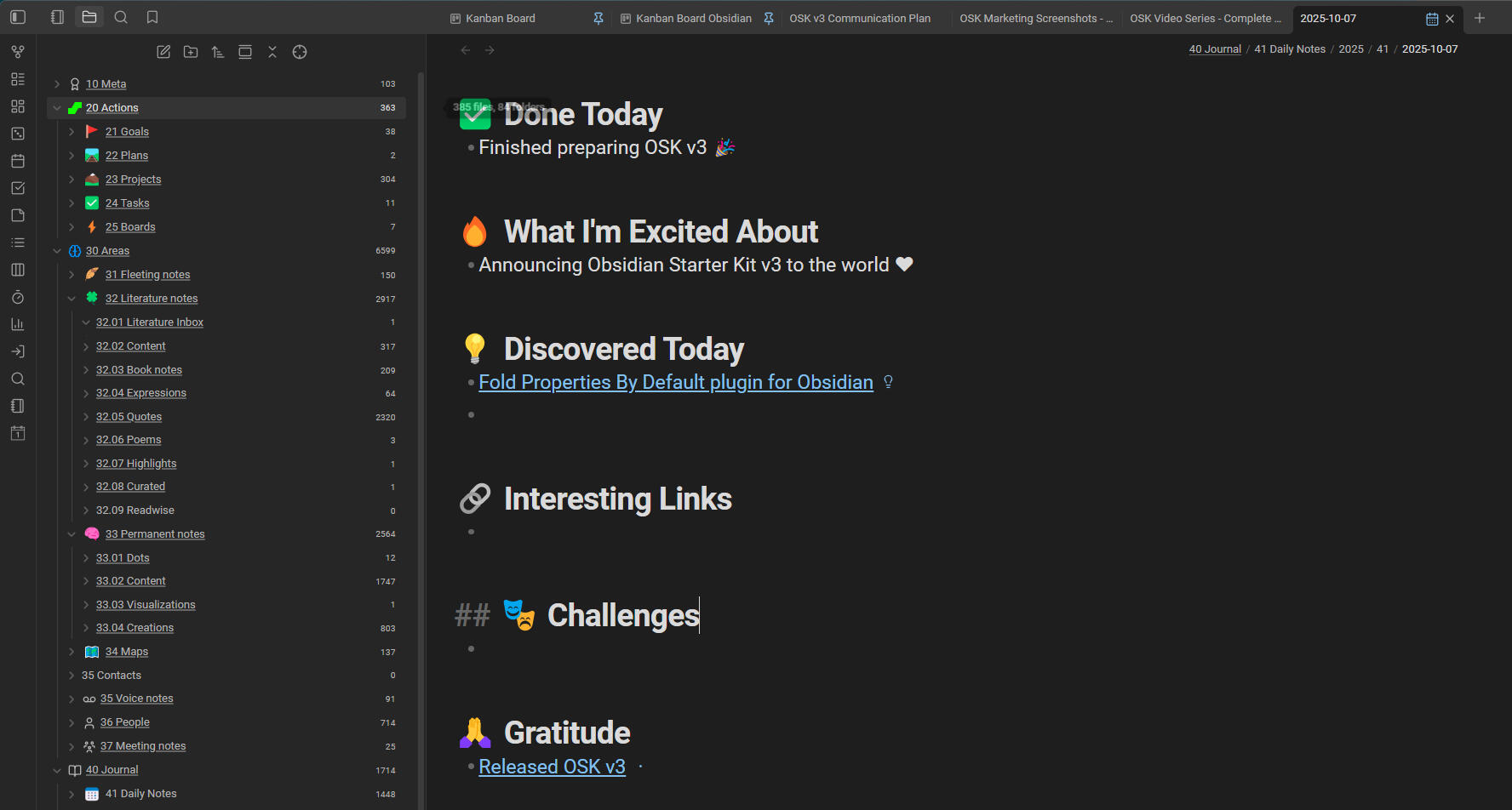
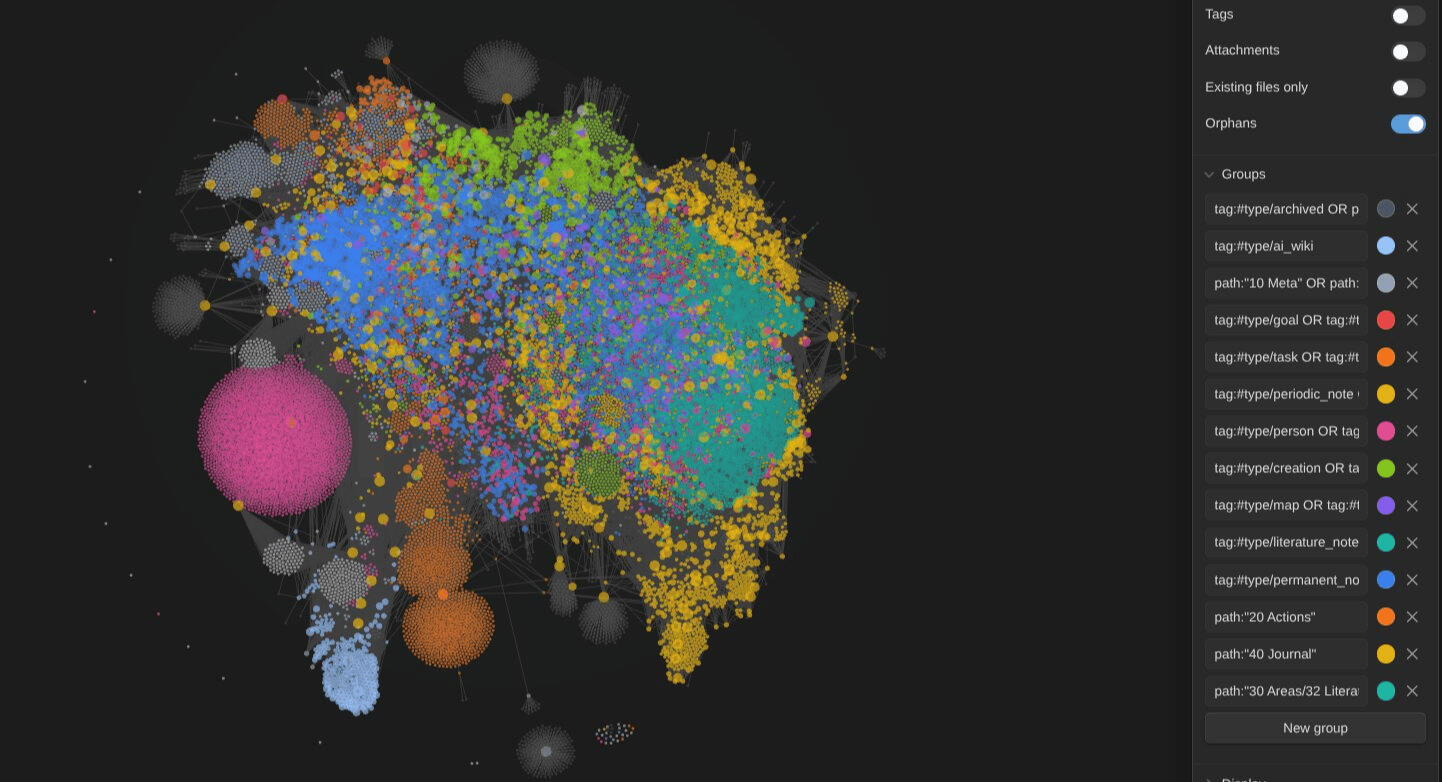
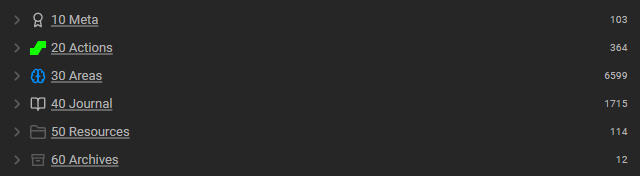
💪 Solid and scalable structure: everything has its place, and AI can find it all easily. The same structure runs my own vault, well past 15,000 notes
🚀 Clearly defined note types with metadata: the whole system is strongly typed thanks to the OSK plugin. Each note type has its own tag, fields, values, folder and template
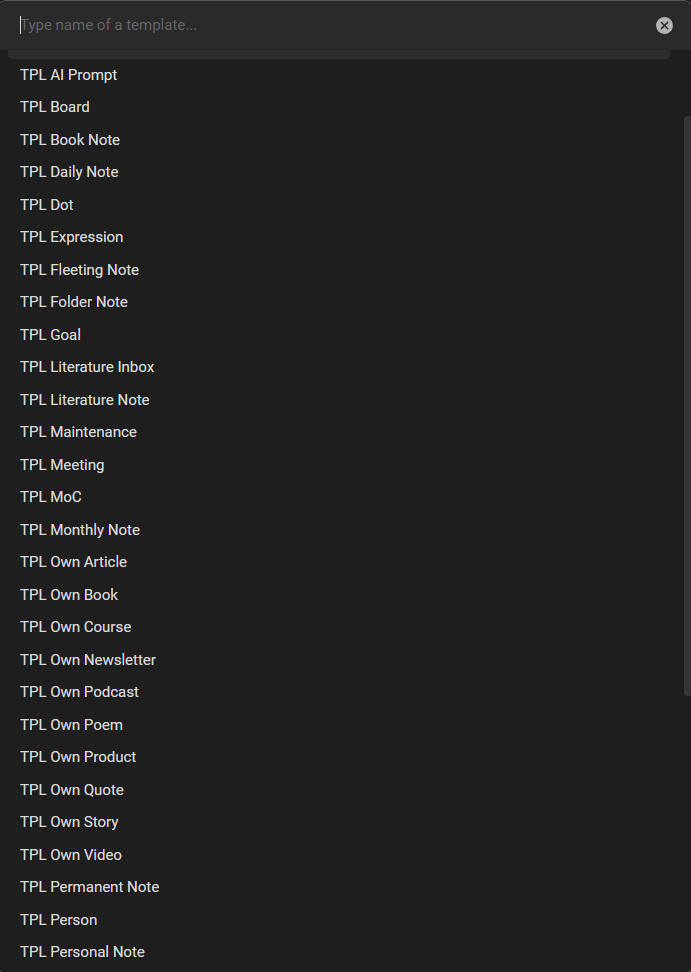
📝 40+ templates: every template fills in the metadata, files the note where it belongs, and keeps your vault consistent
🏷️ Hierarchical tags: search by zone, type or topic and narrow down fast
🎉 Icons for every note type: recognize a meeting note, a daily note or a person note at a glance
⚙️ Carefully picked and pre-configured plugins: everything you need for knowledge work, set up and documented
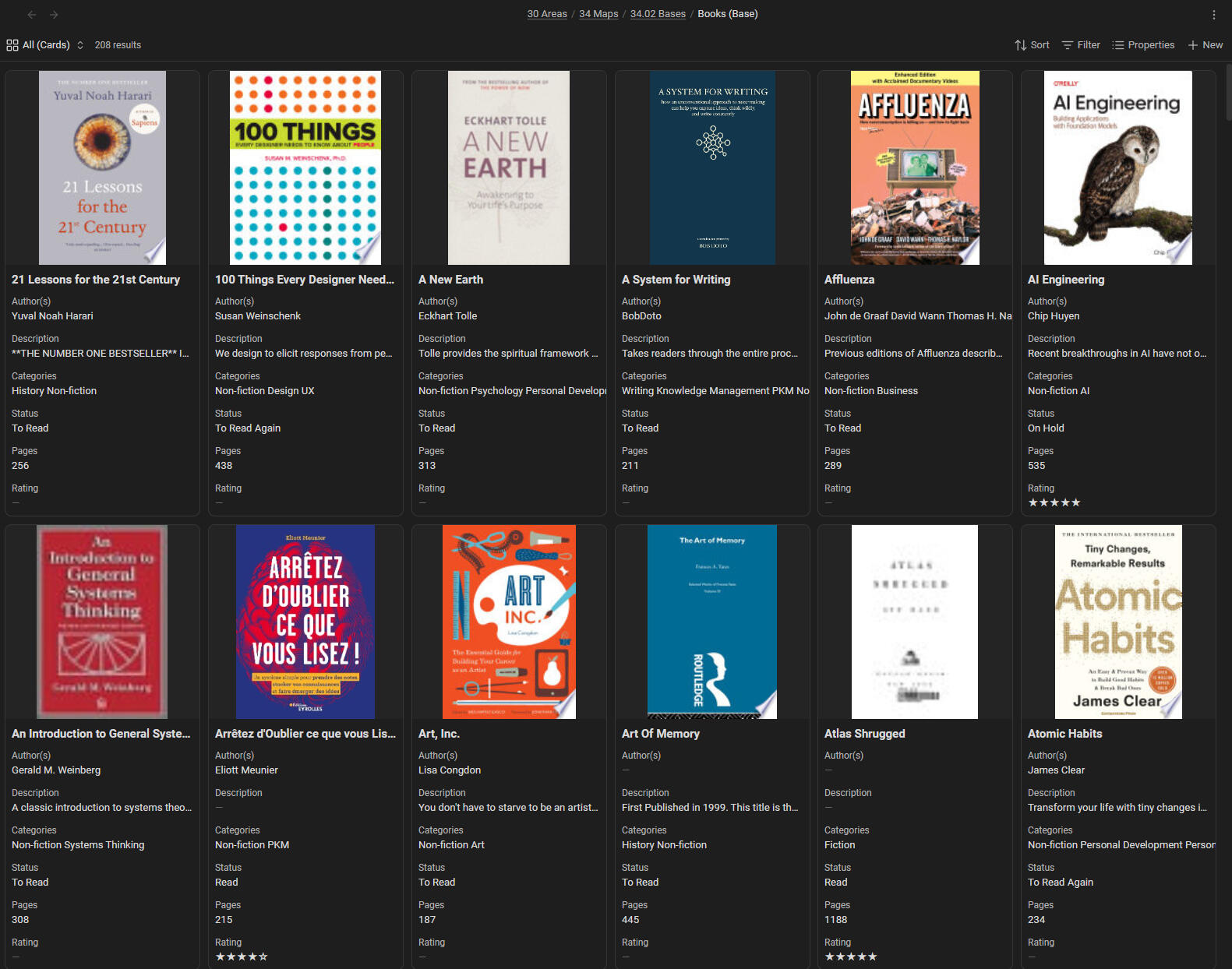
🗺️ First-class Obsidian Bases support: database-like views for your books, projects, contacts and more, including Kanban boards and calendars
⚡ Quick Actions: buttons and captures for your daily routines
👁️ First-class visual thinking support
And SO MUCH MORE!
PKM Methodologies Built-In
Zettelkasten: Atomic notes + permanent notes system
PARA Method: Projects/Areas/Resources/Archives organization
GTD Workflow: Capture → clarify → organize → reflect → engage
Journaling: daily, weekly, monthly, quarterly and yearly notes that share one shape
Specialized Systems
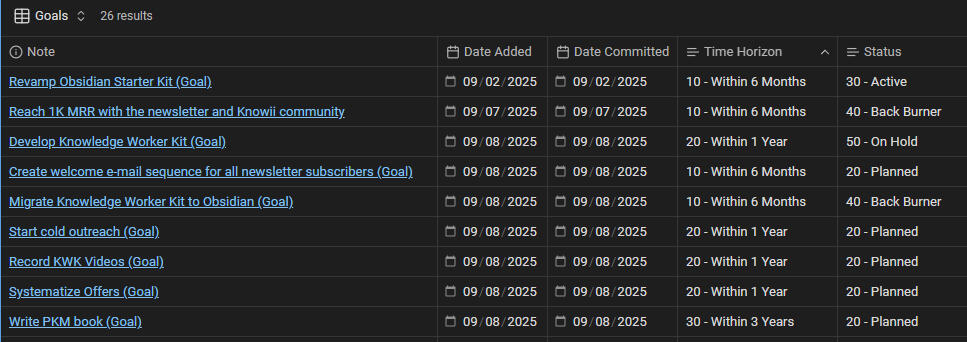
Action system: goals, plans, projects and tasks linked together, with Activities for ongoing responsibilities and Ideas for what you haven't committed to yet. Every project you create shows its tasks as a board, a schedule and a breakdown
Dot system: "sub-atomic" knowledge capture (Breadcrumbs, Seeds, Wisdom)
Source management: books, articles, videos and podcasts with progress tracking
Meeting notes: participants, minutes, decisions and actions
People and relationship management: contacts with relationship and interaction tracking
Health and habits: track mood, energy, sleep, exercise and nutrition
Content creation: a writing system for articles, newsletters, books, social posts and videos
The AI assistant system
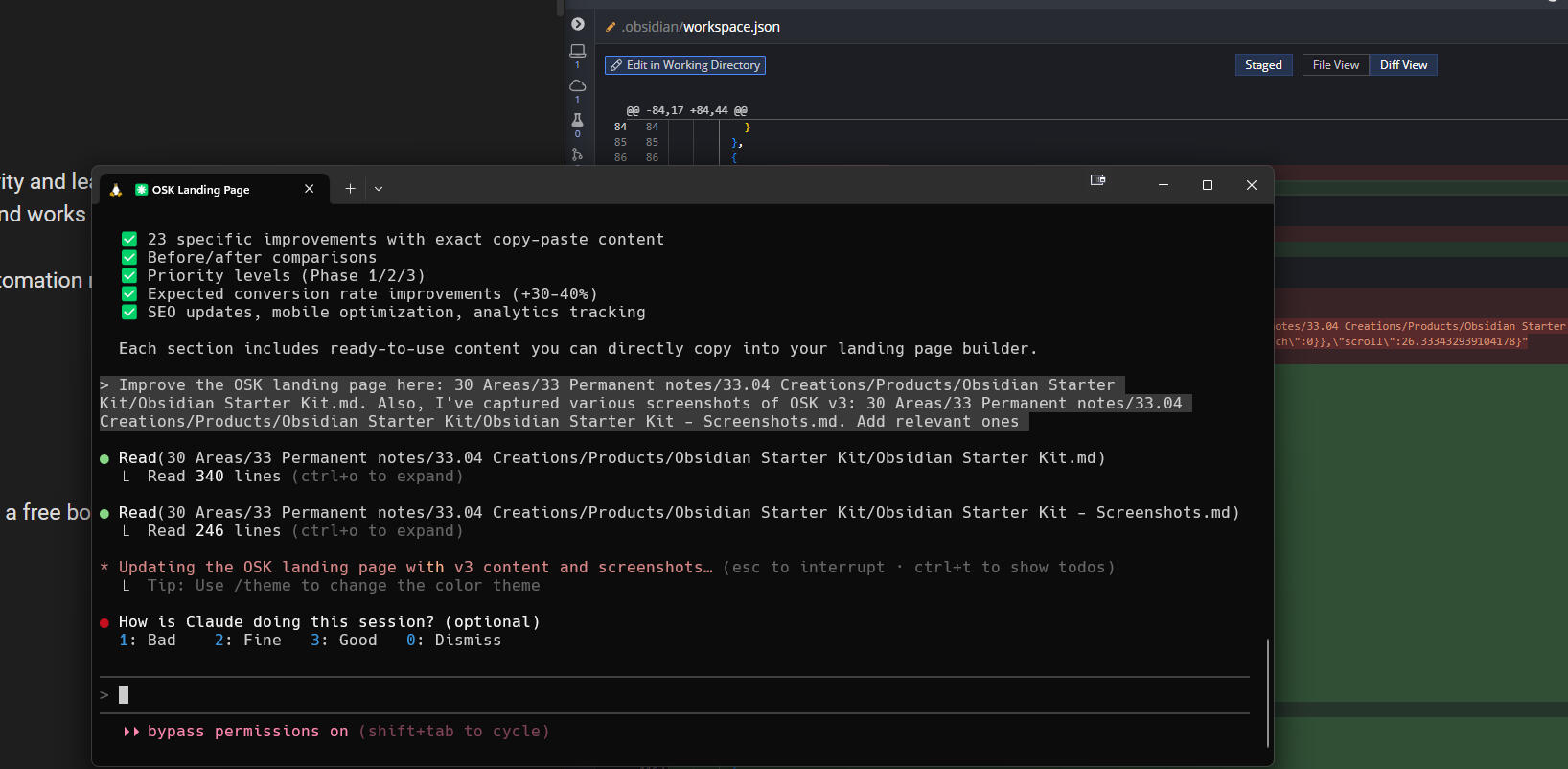
OSK has been AI-native since v4. The OSK plugin describes every note type, property, folder and template as structured data and exposes it through a CLI and an MCP server, so AI tools understand your system instead of guessing it. Claude Code gets the full experience; Codex, Gemini CLI and GitHub Copilot get part of it.
Skills for research, writing, thinking, tasks, health, vault maintenance, publishing and much more, found on demand when a task needs them
Agents with identity and memory (Editor, Researcher, Skeptic, Coach, Wiki Curator, ...), plus panels and councils when you want several perspectives
A Personal Identity System: notes about your values, goals, beliefs and communication style, so AI actually knows who it's helping
Your voice: a voice profile and a compact Voice Card that writing skills use to sound like you
LLM Wikis: AI-maintained knowledge bases on any research topic, with source provenance and cross-references
It all follows a clear AI Augmentation Philosophy: AI helps you think, and you stay the one doing the thinking. That's how you keep AI slop out of your vault.

The Documentation
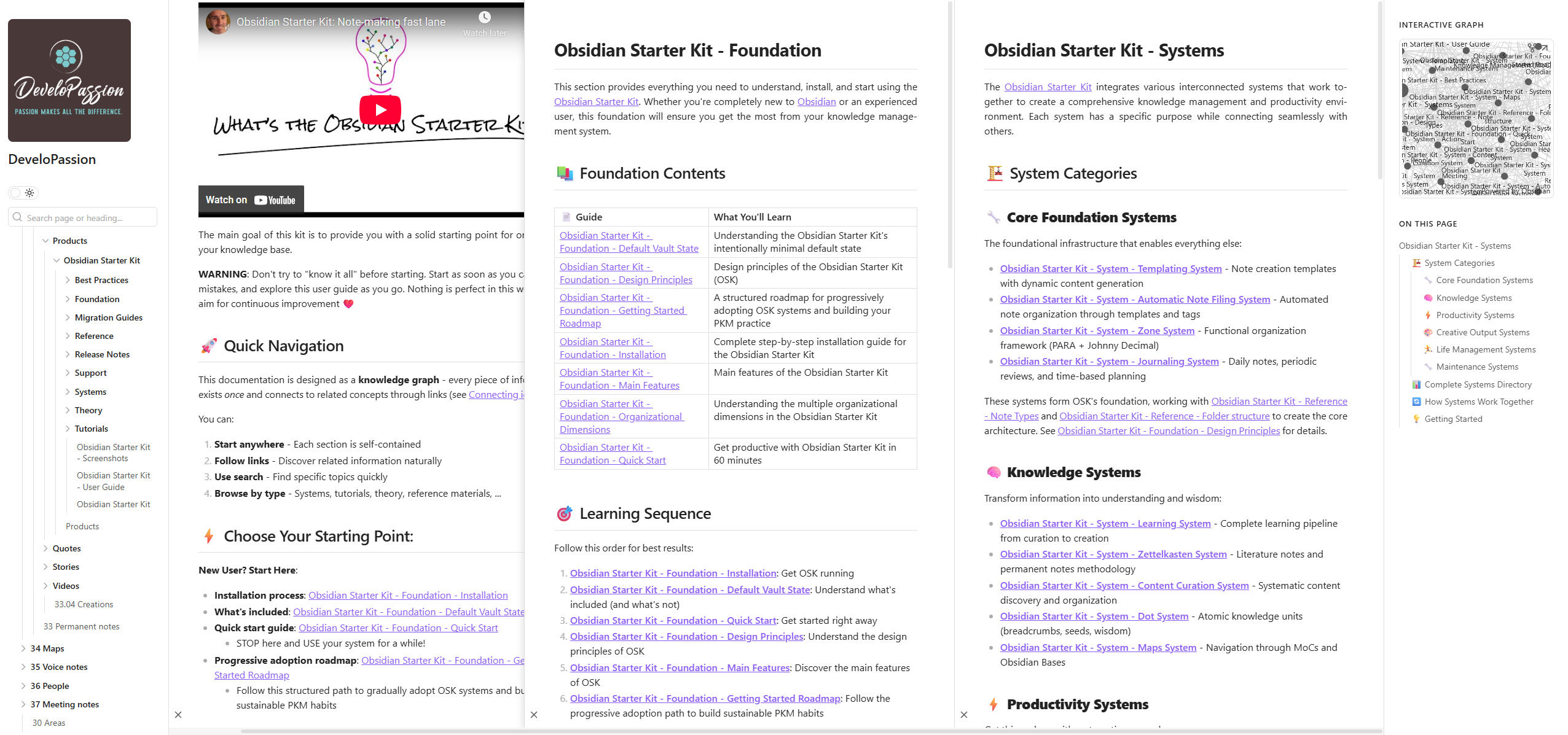
The user guide: every feature and system, explained
Migration guides: step by step from one major version to the next
Reference docs: note types, properties, templates, plugins, Bases and Quick Actions
Theory: Zettelkasten, PARA, Johnny Decimal, GTD and more, explained from first principles
Tutorials and workflows: step-by-step processes for all systems
Tips and recommendations: what works, from years of daily use
Video course (Premium edition only): 2h20m on Obsidian and PKM

Support
Direct help: questions come to me, and I answer them myself
Support pages: an FAQ and a troubleshooting guide
The Knowii Community (separate membership): other OSK and Obsidian users, right inside Obsidian with the Knowii Community plugin

Free updates for life
✅ Every future version at no extra cost
✅ A user guide that keeps growing: new tutorials, guides and recommendations
✅ Release notes for every version, so you know exactly what changed
✅ 30-day money-back guarantee: not satisfied? Full refund, no questions asked

This vs. Building From Scratch
| Aspect | Building it yourself | Obsidian Starter Kit |
|---|---|---|
| Getting started | Weeks or months of setup | Ready when you open it |
| Folder structure | Trial and error | Used daily, well past 15,000 notes |
| Plugin selection | Research thousands of plugins | Carefully curated and pre-configured |
| Templates | Build from scratch | Included, filing notes automatically |
| Action management | Assemble it from several plugins | Boards, statuses and archiving built in |
| AI integration | Write your own prompts and context | Agents, skills, CLI and MCP server included |
| PKM education | Scattered resources | Complete guide built in |
| Ongoing updates | Maintain it yourself | Free lifetime updates |
| Cost | Your time | One-time purchase |
Videos
Kanban Action Planner: project management inside Obsidian
Obsidian Starter Kit v4 overview (where the AI assistant system first arrived)
Free Obsidian Starter Kit V3 Workshop
Free Obsidian Workshop
Screenshots


The Backstory
I'm Sébastien Dubois. I've been passionate about information, Knowledge Management, and PKM for more than 20 years. As an author, blogger, entrepreneur and Knowledge Worker, I needed solutions to store and organize an enormous amount of information.Over the years, I've explored, used, and advocated many tools but have settled on Obsidian. With the Obsidian Starter Kit, I offer you the result of my own research and experimentation. It's like a cheat code to jump straight to stress-free note-making.I've spent months refining and perfecting my Personal Knowledge Management (PKM) system, and have spent countless hours tweaking my system so you don't have to.The Obsidian Starter Kit is a ready-made Obsidian vault that includes my recommended system and explains my own approach.
🌟 Trusted by 1,000+ Knowledge Workers
👨💼 Product Managers
👨🎓 Researchers
✍️ Writers
👨💻 Developers
👨🏫 Educators
🎯 Consultants
📊 Analysts
🚀 Entrepreneurs
By the Numbers:
1,000+ users worldwide
4.9/5 average rating
20+ years of knowledge management behind it
Improved continuously since 2022

What's in the video course?
The Obsidian Starter Course (included in the Premium edition) is a video course of about 2h20 covering:
Obsidian: installation, user interface, key features, plugins, automation, tips and tricks, ...
The Markdown syntax
YAML metadata
Personal Knowledge Management (PKM) techniques, principles, frameworks and methods such as the Johnny Decimal system, the PARA method, the Zettelkasten method, the LIFT principle, the FILE framework, Atomic notes, Maps of Content (MoCs), Evergreen notes, ...
Journaling
Periodic reviews
Templating and Templates
Automation
Task management
Best practices and recommendations
Hands-on explanations
And more!

Evergreen content
The Obsidian Starter Kit is an Evergreen project. It evolves all the time, with new templates, plugins, automations and skills in every release. The user guide keeps growing too, with new guides and processes, and more of the theory behind them. Every change is documented in the release notes.

📈 What Users Are Saying
⭐⭐⭐⭐⭐ "Game Changing"
"The Obsidian Starter Kit has been game changing for me in providing a ready to go framework for keeping track of all the details. The templates have simplified my tasks, enhanced my efficiency, and even seem to have improved my memory. Overall, this has been a joy to adopt as a work tool."
— Dwayne Appleby⭐⭐⭐⭐⭐ "Finally Clicked"
"Finally clicked how awesome Obsidian is! Thanks to your excellent Obsidian Starter Kit!"
— Cal Desmond-Pearson⭐⭐⭐⭐⭐ "100% Worth It"
"As someone who has bounced around trying to find the right Knowledge tool, I've realized many of my issues have been related to complexity. The structure, design and explanations in OSK have finally given me the foundation I needed. 100% worth it."
— Michael Aaron⭐⭐⭐⭐⭐ "1-2 Days to Intermediate Level"
"Starting as an absolute beginner, this kit allowed me to jump to what I feel is an intermediate level of Obsidian understanding and effective note taking in the span of 1-2 days, and I am grateful that I found it."
— Blake Holder⭐⭐⭐⭐⭐ "Easy, Complete and FANTASTIC!"
"Easy, complete and FANTASTIC!!!"
— Miriam G⭐⭐⭐⭐⭐ "Must-Have for PKM"
"The Obsidian Starter Kit is an excellent resource for anyone interested in Personal Knowledge Management (PKM) and building their own 'second brain.' A must-have for those looking to take control of their knowledge and productivity!"
— Franjo Pehar"I was a novice to Obsidian & not a techie person. This is one of the best Obsidian Starter kits to get you started with Obsidian. You will not be disappointed. 😉"
— Yaaqoub"Flawless design and easy to use with detailed explanations behind every design. Now I can take notes stress-free!"
— Chananan Srasri"Great content - got me up to speed with what I was looking for fast! Sébastien answered some questions by mail also which was much appreciated!"
— Sam Gonzales"I'd like to congratulate you on the fantastic product you've created – OSK. I've only spent a few hours with it, but I'm already confident it will meet my information management needs."
— Krzysztof Kapcia"Although I was already using Obsidian in earnest on a day to day basis when I purchased it, I've found this guide / set up invaluable as a way to round out my understanding of features and plugins. Whether you're just starting out or need some guidance taming the data in your vault this kit is a really useful resource."
— M G ZANDSTRA"I absolutely love your kit and it has been so immensely helpful"
— Ashwin Appiah"This is a practical and well thought out tool for organising Obsidian. The kit provided me with a solid framework, helpful templates, and automations that made it easier to manage my vault without feeling overwhelmed."
— Ghada"Sebastien's Obsidian Starter Kit is a powerful tool for those looking to dive into the world of Obsidian without being overwhelmed. It significantly shortens the learning curve."
— Lubos Kolouch"Excellent package to get started with Obsidian or optimize what you already have. The developer has tried it all and distilled a core setup that you can use out-of-the-box or adapt."
— Henry F."Thanks for making the product. I'm making efforts to start using Obsidian more in my daily workflow and having a place to start makes the task much less daunting!"
— Liam Weight"The Obsidian Starter Kit is a really great way to get going with Obsidian, and Sebastien's writing and knowledge is so insightful and helpful"
— Rick Elliott"More intuitive, increased depth of information from Sebastien, growing the Starter Kit product, has expanded my utilization of @Obsidian. Better and getting better. Worth the investment in KM..."
— Charles F McMaster"I love this product. Obsidian can be overwhelming with all you can do with it. Sebastien has pulled together a great collection of add-ons and templates and is a great starting point to get productive and begin your personal knowledge management journey"
— Todd Walters"Just to thank the work and content that allowed me to discover the background of a custom vault. It was a real boost for me and given the price, it was a real investment of time and learning."
— Trobrillant"If you have been wanting to try Obsidian but overwhelmed with options and unsure where to start, Sebastien makes it easy with his 'ready to go' vault."
— Andrew Zavitsanos"Extremely comprehensive and most worthwhile!"
— Mike Nall"A very good starting point for your Personal Knowledge Management."
— Fredrik Nordstrom"Great starter kit, love it!"
— Naya Moss"Very helpful to give you a framework to develop from"
— Brenton James"Useful learning for Obsidian. Appreciate updates"
— Adrian McLachlan"Easy to follow and well done!"
— Edouard Kutter"If you have been searching 😖 and searching for the right Obsidian Starter Kit??? This is the answer!!! It's a great start to set up the foundation of your system in Obsidian."
— Yaaqoub Eliyyahu"Extraordinario para comenzar a trabajar con Obsidian"
— Manuel Miguel"I'm very new to PKM, but the Obsidian Starter Kit has been a tremendous help in getting me started"
— Fredrik Nordström"Sebastien's Obsidian Starter Kit is a powerful tool for those looking to dive into the world of Obsidian without being overwhelmed. It's a comprehensive solution that significantly shortens the learning curve, providing an impressively structured way to start capturing notes and facilitating daily journaling. The kit's integration of automated tasks and pre-designed templates are a boon to beginners, alleviating the initial intimidation of starting from scratch. If you're new to Obsidian and need a solid starting point, this starter kit comes highly recommended. It doesn't just help you navigate Obsidian, but also empowers you to harness its full potential right from the get-go."
— Lubos Kolouch
Frequently Asked Questions
Q: I'm brand new to Obsidian. Is this too advanced?
A: No! OSK is designed with beginners in mind. The user guide explains everything step by step, and the Getting Started Roadmap tells you what to learn first. Many people start with OSK on their very first day with Obsidian.Q: What's new in v5?
A: Finished work that files itself, one-click Quick Actions, Activities and Ideas in the action system, an ideal week for your activities, time budgets and delivery stats, and an AI assistant that loads skills on demand. Everything is in the v5.0.0 release notes.Q: Do I need AI tools to use OSK?
A: No. OSK works great as a "classic" PKM system. When you're ready for AI, everything is already wired: agents, skills, LLM Wikis, and a plugin (CLI + MCP server) that helps AI tools understand your whole vault.Q: What if OSK doesn't fit my workflow?
A: OSK is a starting point. Everything is customizable: tweak the structure, templates and plugins to match your needs. Plus, there's a 30-day money-back guarantee if it's not right for you.Q: How do updates work?
A: Every update is free, for every version to come. I announce each release by email, and the release notes document every change.Q: Do I need to pay for Obsidian?
A: No! Obsidian is free, including for work (the commercial license is optional). OSK is a pre-built vault plus documentation.Q: Is support included?
A: Yes. Email me; I answer questions myself and help people get started.Q: Can I use OSK for work or commercial purposes?
A: Yes, absolutely. Consultants, project managers and knowledge workers use OSK for their professional work.

Join the Community
The PKM community is a home for people interested in getting started or getting better at Personal Knowledge Management (PKM).Our intent is to create a space where lifelong learners can share ideas, workflows, tools, interesting articles, tips, tricks, and hacks about knowledge management and how to build a second brain.
